
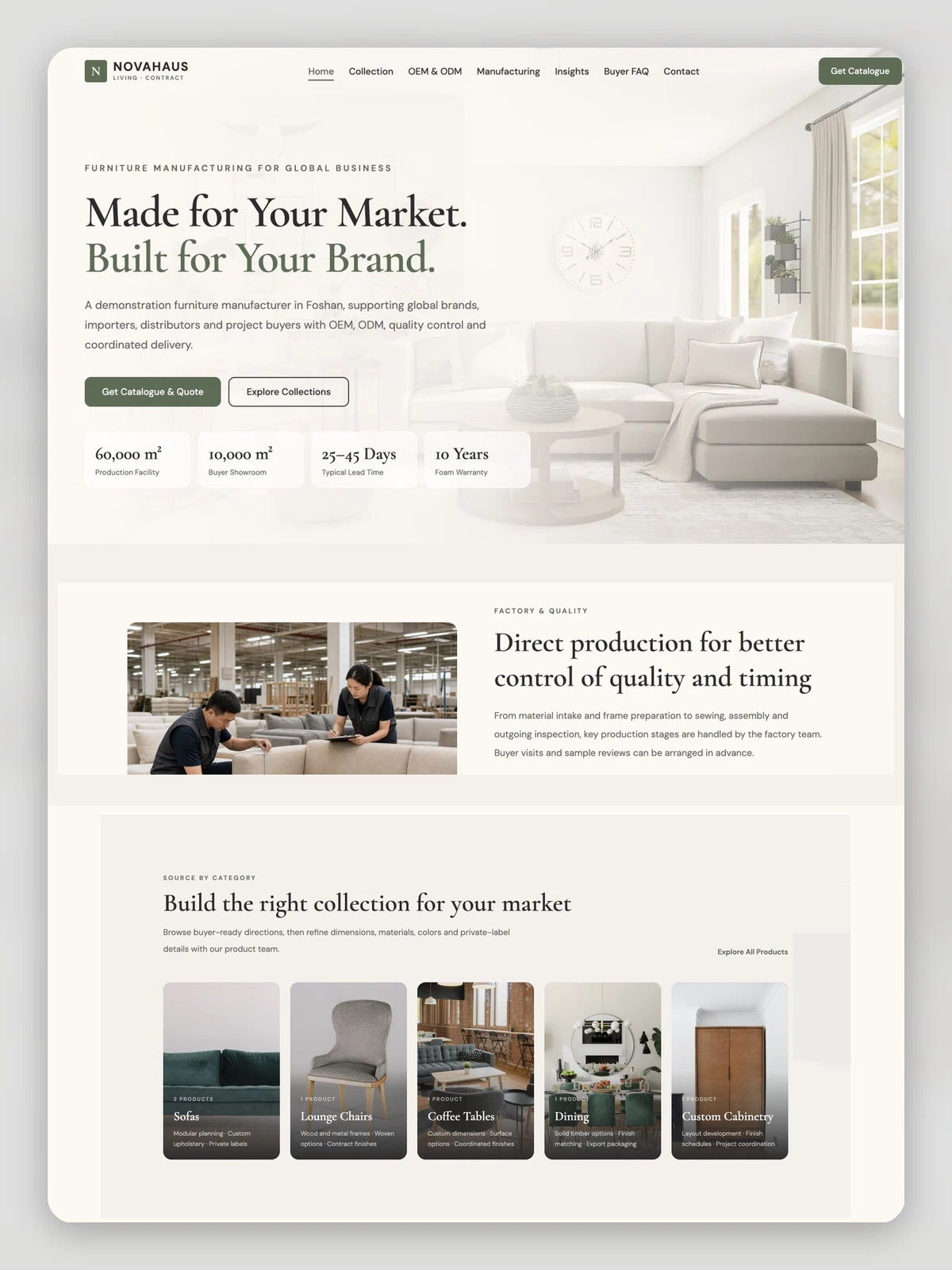
Furniture OEM & ODM Sourcing Website
For furniture manufacturers selling OEM/ODM to overseas brands. Product collections, the OEM/ODM process, factory and QC, a buyer FAQ and catalogue requests — all in English.
The demo is a real published Creght site. Content is placeholder.
Included pages (7)
All built and responsive. Add, remove or rename them after generating.
- Home
- Opens on sourcing capability — what the factory does and how to work with it
- Collection
- Ready collections, each marked with how far it can be customised
- OEM / ODM
- The full path from product brief to container loading
- Manufacturing
- In-house lines, QC checkpoints and lead times
- Insights
- Sourcing content on MOQ, QC and selection, managed in the CMS
- Buyer FAQ
- MOQ, sampling, lead time and certification — what buyers ask first
- Contact
- Inquiry form and catalogue request
Sections on the home page
Rewrite any section with AI, or edit text and images on the canvas.
- Build the right collection for your market
- One team from brief to container loading
- Buyer-ready collections with room to customize
- Direct production for control of quality and timing
- Sourcing insights
- Catalogue request and inquiry
Live preview
The real published site, embedded below. Scroll and click around inside it.
Is this template right for you?
A good fit for
- Furniture makers with their own factory selling direct to overseas brands
- Exporters who need to show OEM/ODM capability rather than retail products
- Teams collecting leads through catalogue requests instead of a checkout
Probably not for
- Consumer-facing furniture retail or e-commerce — this template has no cart or payment
- Companies serving the domestic market only, with no need for an English site
- Catalogues with very large SKU counts needing parametric filtering
Common questions
Can I still edit the site after generating it from a template?
Yes. You can keep talking to the AI, or click any element on the canvas and edit text, images and styles directly. Both act on the same site and write back to real code.
Do I need to write code?
No. Generating, editing and publishing all happen in the browser — no local dev environment, no build step. If you do write code, exporting the code is supported.
Can I connect my own domain?
Custom domains with automatic SSL are included in the Pro and Max plans. The free plan does not include a custom domain or SSL, but you can still generate, edit and publish on the system-provided address.
Can I switch to a different template later?
Templates cannot be switched after the fact — you would need to create a new site. So open the live demo first and see the real thing before choosing. If you have already purchased a plan, contact support for help.
How far can I get on the free plan?
New projects start on the free plan, which covers most capabilities — cloud functions, data tables, user accounts and payments — enough to run the whole flow end to end. Each has a usage cap, and custom domains, SSL, badge removal and code export are not included.
How long does generation take?
Usually one to five minutes; complex sites take longer. What you get is a complete site that works on desktop and mobile — not a mockup.
More in this category
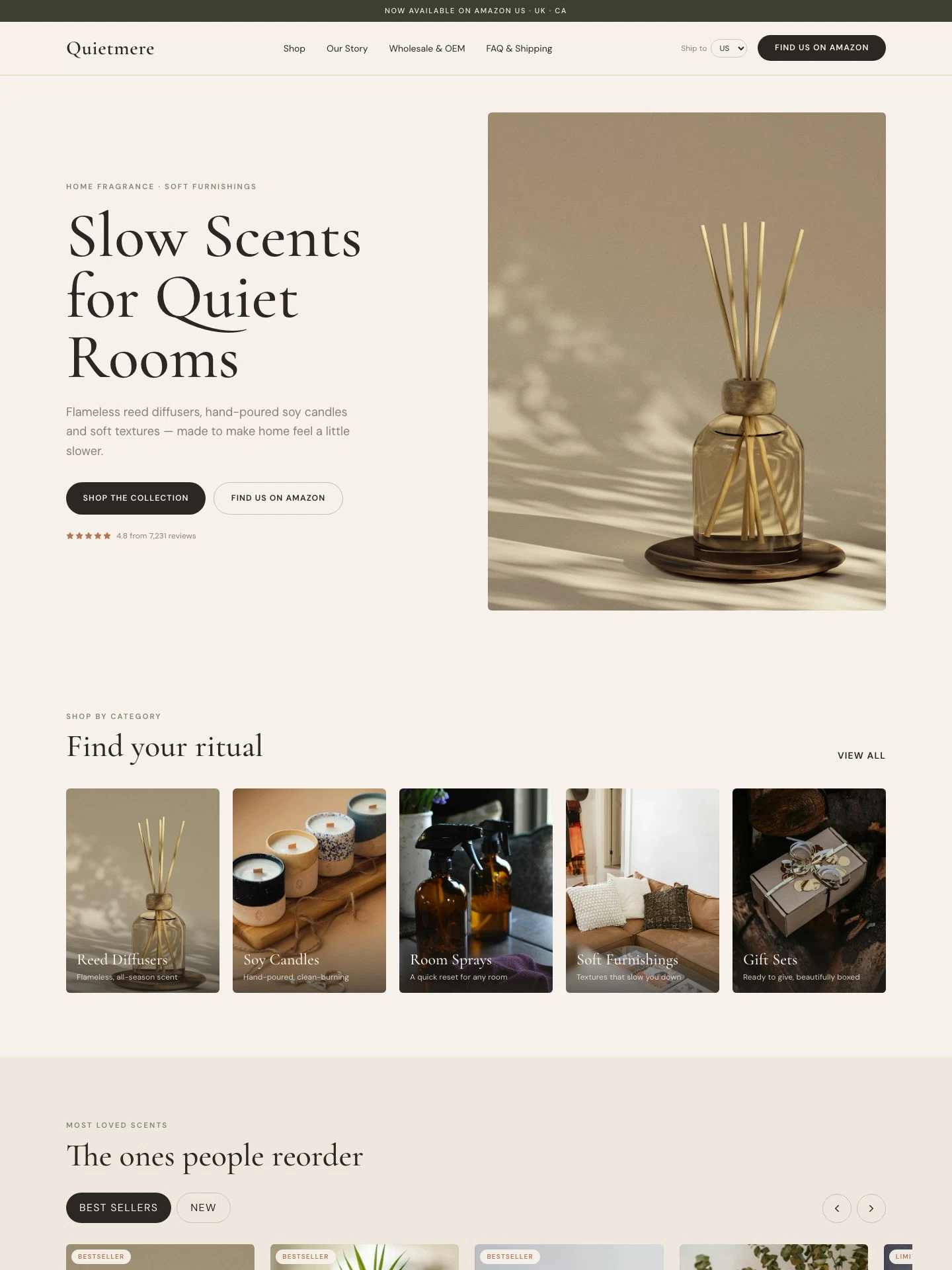
Home Fragrance DTC Brand Website
For cross-border home fragrance sellers on Amazon. Collection pages, product details, an SEO journal, wholesale and OEM inquiries and a shipping FAQ, with buttons out to Amazon and your store.
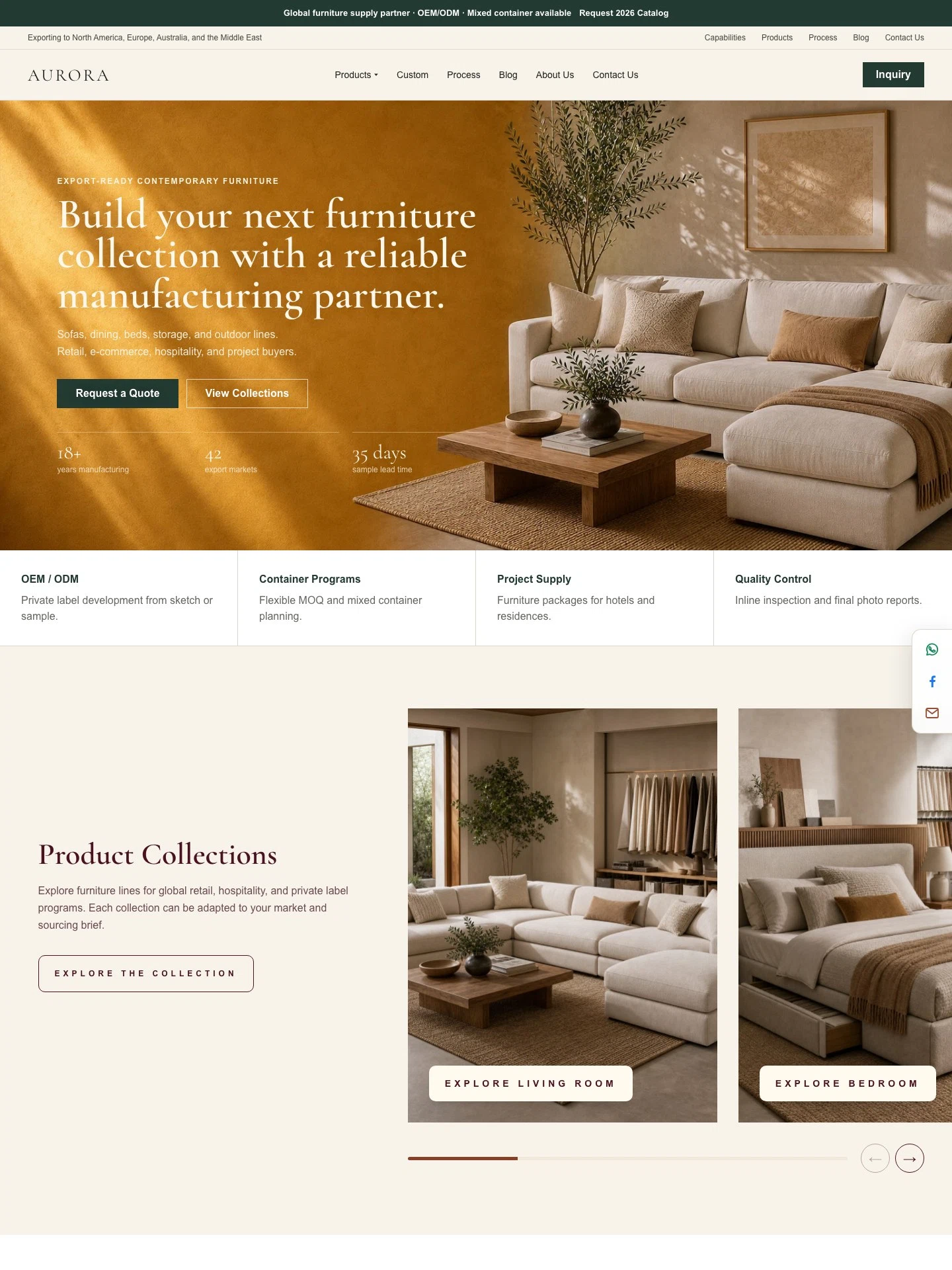
Furniture Export Manufacturer B2B Website
For furniture manufacturers serving global retailers, hospitality projects, and private-label buyers. Product collections, OEM/ODM development, factory and QC, sourcing workflow, insights and inquiries — all in English.
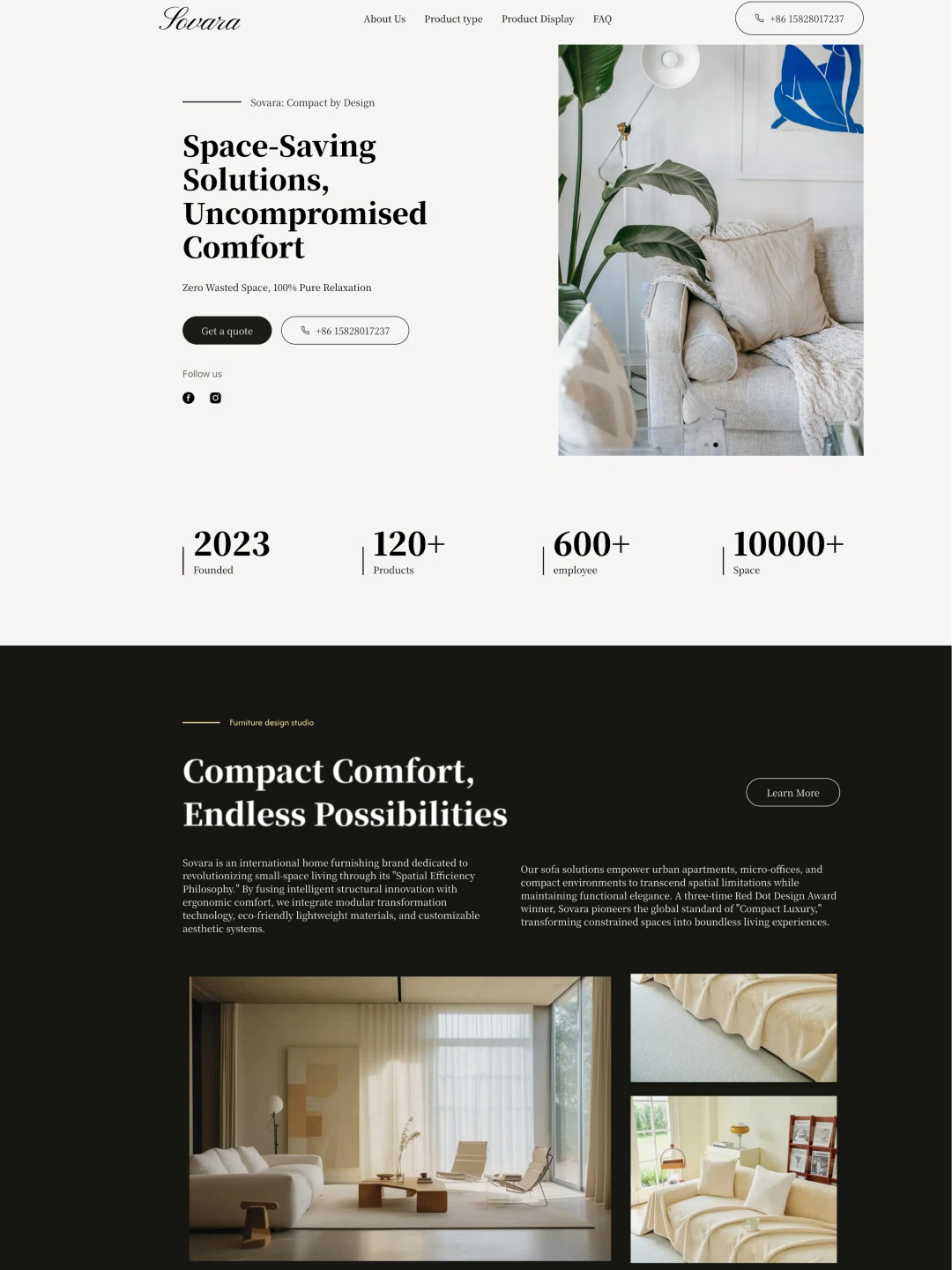
Sofa Export Website
For sofa and upholstered furniture exporters. Leads on compression packing and its shipping advantage, with product display and inquiries.