
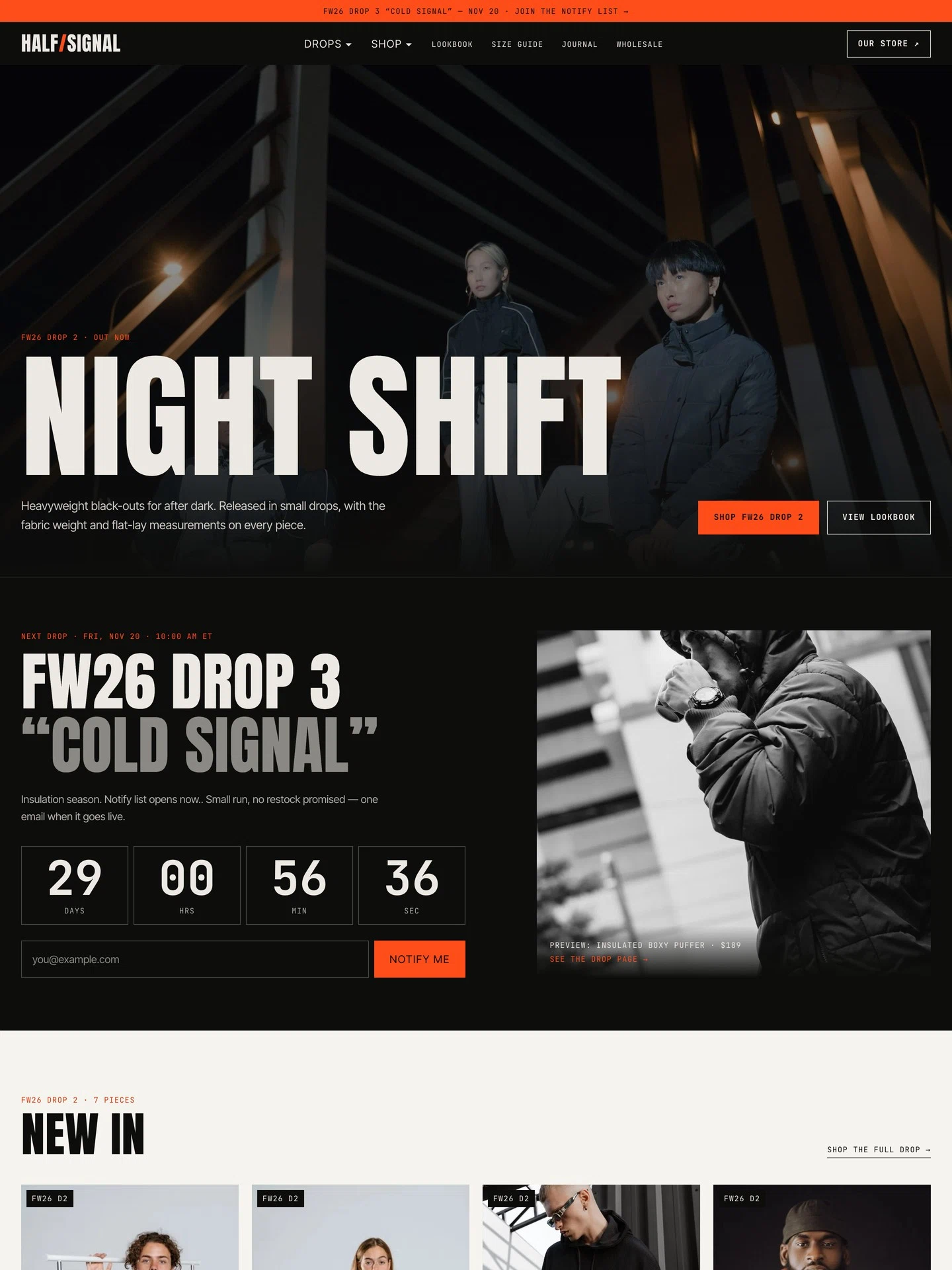
Streetwear Drop DTC Website
For streetwear labels selling overseas. Drop countdowns, category pages, in/cm flat-lay size tables, shoppable lookbooks and wholesale inquiries — buy links go to Amazon or your store.
The demo is a real published Creght site. Content is placeholder.
Included pages (7)
All built and responsive. Add, remove or rename them after generating.
- Home
- Live drop hero, next-drop countdown with notify list, new arrivals, categories, shop-the-look and drop archive
- Drops & categories
- One path page per drop and per category, with an SEO intro, breadcrumbs and a product grid
- Product
- Fit, fabric and gsm, a flat-lay size table with an in/cm toggle, external buy links and restock alerts
- Lookbook
- Seasonal lookbooks where every look lists the pieces worn and links to them
- Size guide
- SVG measuring diagrams, body sizes and international conversion, in inches or centimetres
- Wholesale
- Minimums, lead times and private label, plus a stockist inquiry form
- Journal
- Buying guides on fit, fabric weight and how drops work, managed in the CMS
Sections on the home page
Rewrite any section with AI, or edit text and images on the canvas.
- Night Shift
- FW26 Drop 3 “Cold Signal”
- New In
- Night Shift — Shop the look
- Know the fit before it ships
- Drop Archive
Live preview
The real published site, embedded below. Scroll and click around inside it.
Is this template right for you?
A good fit for
- Chinese streetwear labels selling on Amazon, their own store or TikTok Shop that need an English brand site
- Apparel brands releasing numbered seasonal drops that want a countdown and notify list for launch day
- Teams cutting size returns with flat-lay measurements, gsm and fit notes while taking stockist orders
Probably not for
- Fashion stores that need on-site checkout — this template has no cart or payment
- Apparel brands serving the domestic market only, with no need for an English site
- Clothing companies after a brand showcase without size tables or a drop calendar — use fashion-brand
Common questions
Can I still edit the site after generating it from a template?
Yes. You can keep talking to the AI, or click any element on the canvas and edit text, images and styles directly. Both act on the same site and write back to real code.
Do I need to write code?
No. Generating, editing and publishing all happen in the browser — no local dev environment, no build step. If you do write code, exporting the code is supported.
Can I connect my own domain?
Custom domains with automatic SSL are included in the Pro and Max plans. The free plan does not include a custom domain or SSL, but you can still generate, edit and publish on the system-provided address.
Can I switch to a different template later?
Templates cannot be switched after the fact — you would need to create a new site. So open the live demo first and see the real thing before choosing. If you have already purchased a plan, contact support for help.
How far can I get on the free plan?
New projects start on the free plan, which covers most capabilities — cloud functions, data tables, user accounts and payments — enough to run the whole flow end to end. Each has a usage cap, and custom domains, SSL, badge removal and code export are not included.
How long does generation take?
Usually one to five minutes; complex sites take longer. What you get is a complete site that works on desktop and mobile — not a mockup.
More in this category
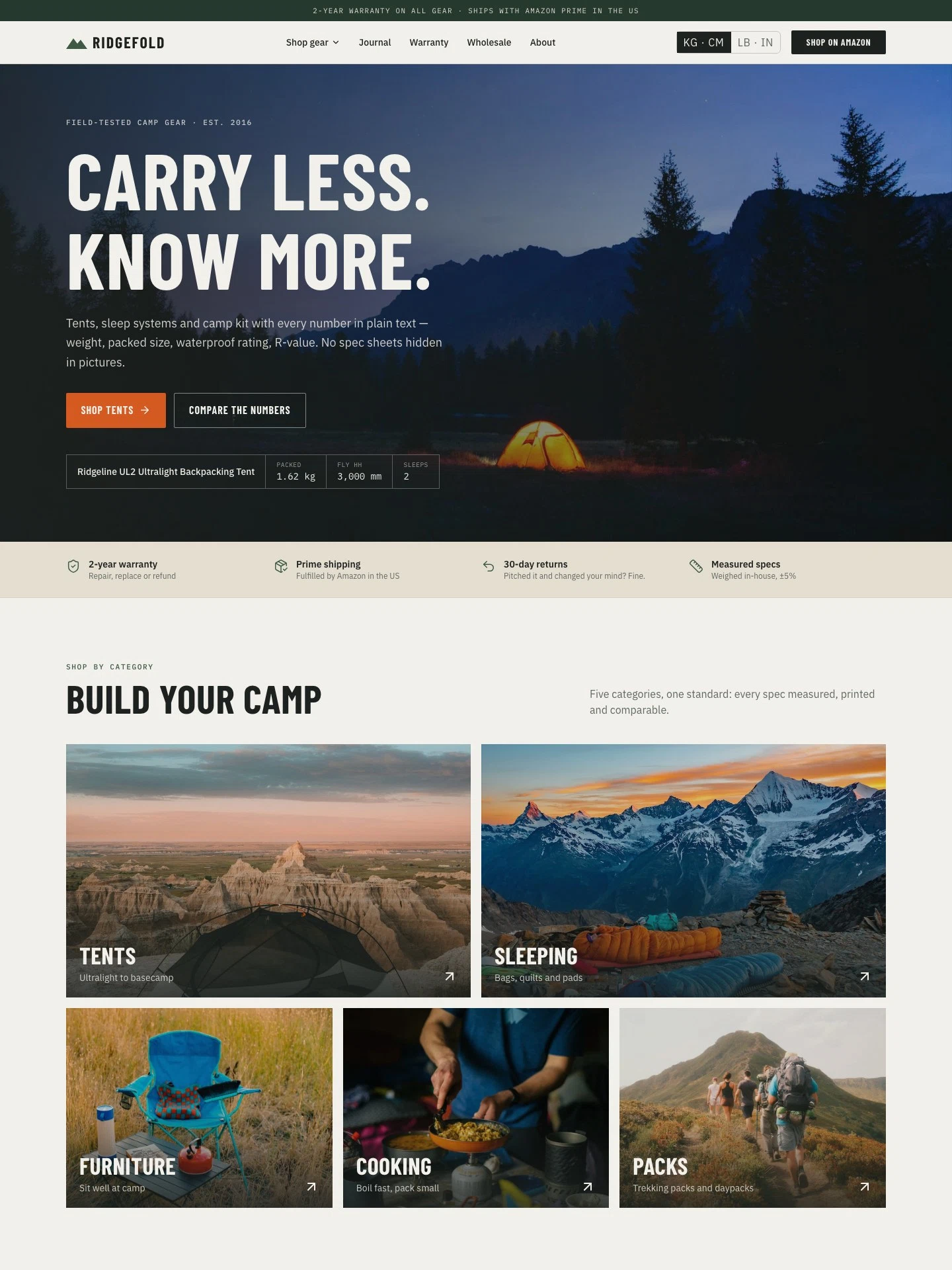
Outdoor Camping Gear DTC Website
For outdoor gear brands selling overseas. Category pages, products with crawlable spec tables and a kg/lb toggle, a gear-guide journal, warranty claims and wholesale inquiries — buy links go to Amazon.
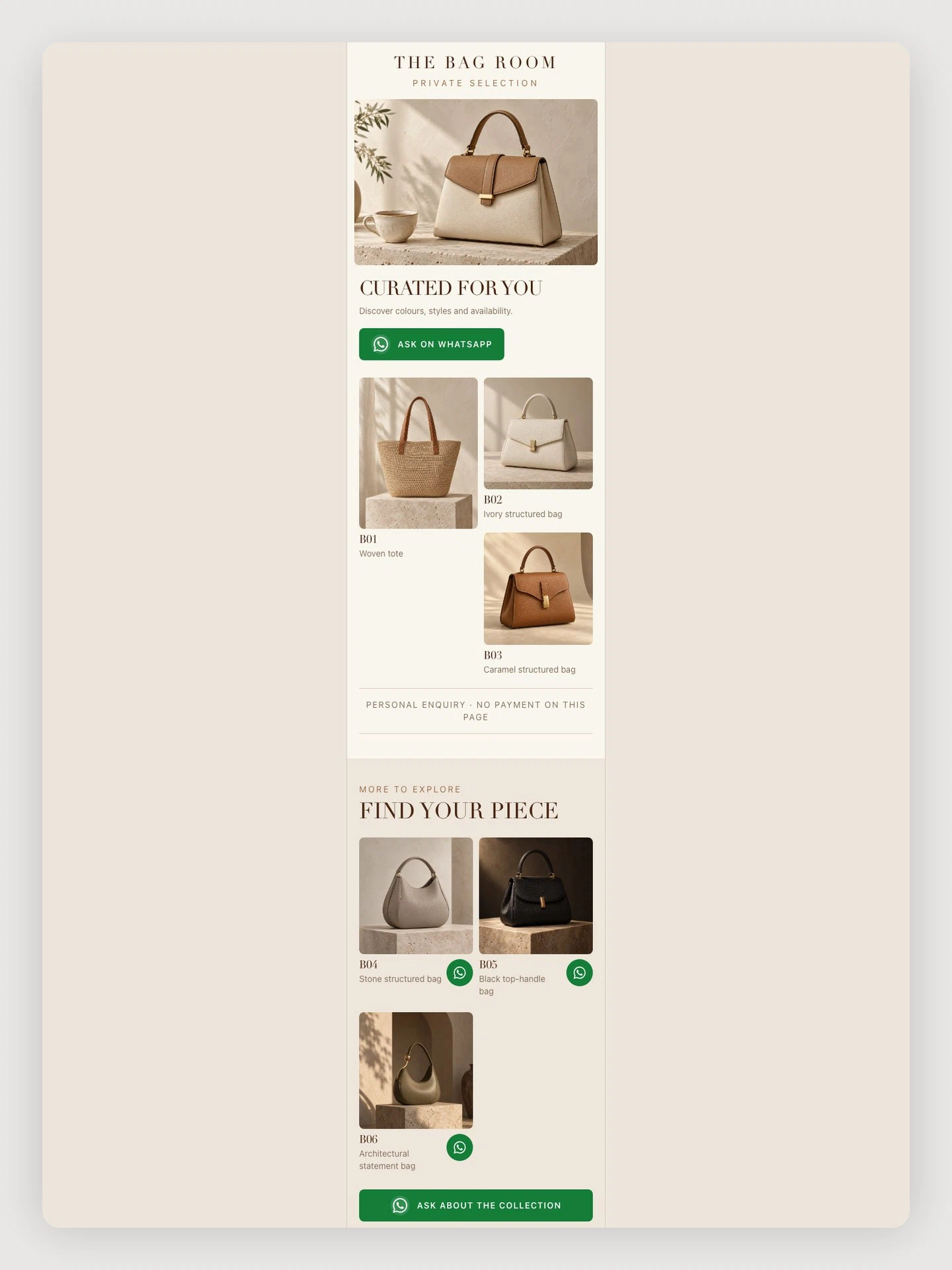
Private Handbag Selection Landing Page
For handbag brands and boutiques taking enquiries through WhatsApp, with product browsing, colour questions and delivery conversations instead of checkout.
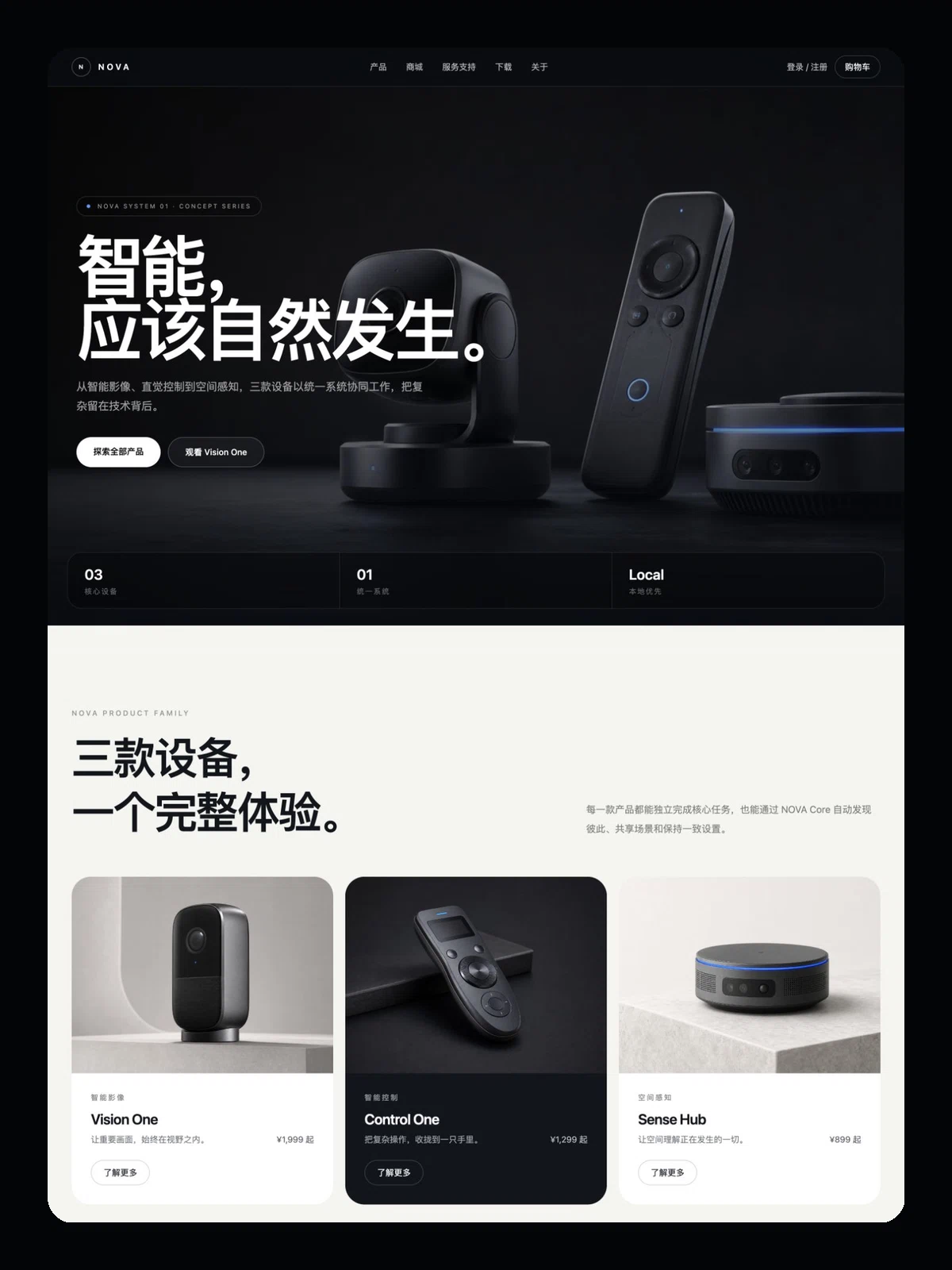
Smart Home Device Brand Store
For consumer electronics and smart hardware brands. Multiple device lines, an online store, support and firmware downloads — the closest to a real brand site here.