
Localization
Localization Overview
Localization is the process of adapting website content for different languages and countries.
With Creght’s multilingual localization features, you can create tailored website experiences for users in different languages or regions—while maintaining a consistent site structure.
How Localization Works
The Primary Language is the default language used to build and maintain your website.
For example, if your main audience is in the United States, the primary language is typically English.
Based on the primary language, you can add multiple Secondary Languages to support additional languages or regions.
Language Inheritance & Localization Rules
- By default, secondary languages inherit all content from the primary language
- You can apply localized overrides when a specific language requires unique content
- Changes made in a secondary language only affect that language
- You can reset localized overrides at any time to re-inherit content from the primary language
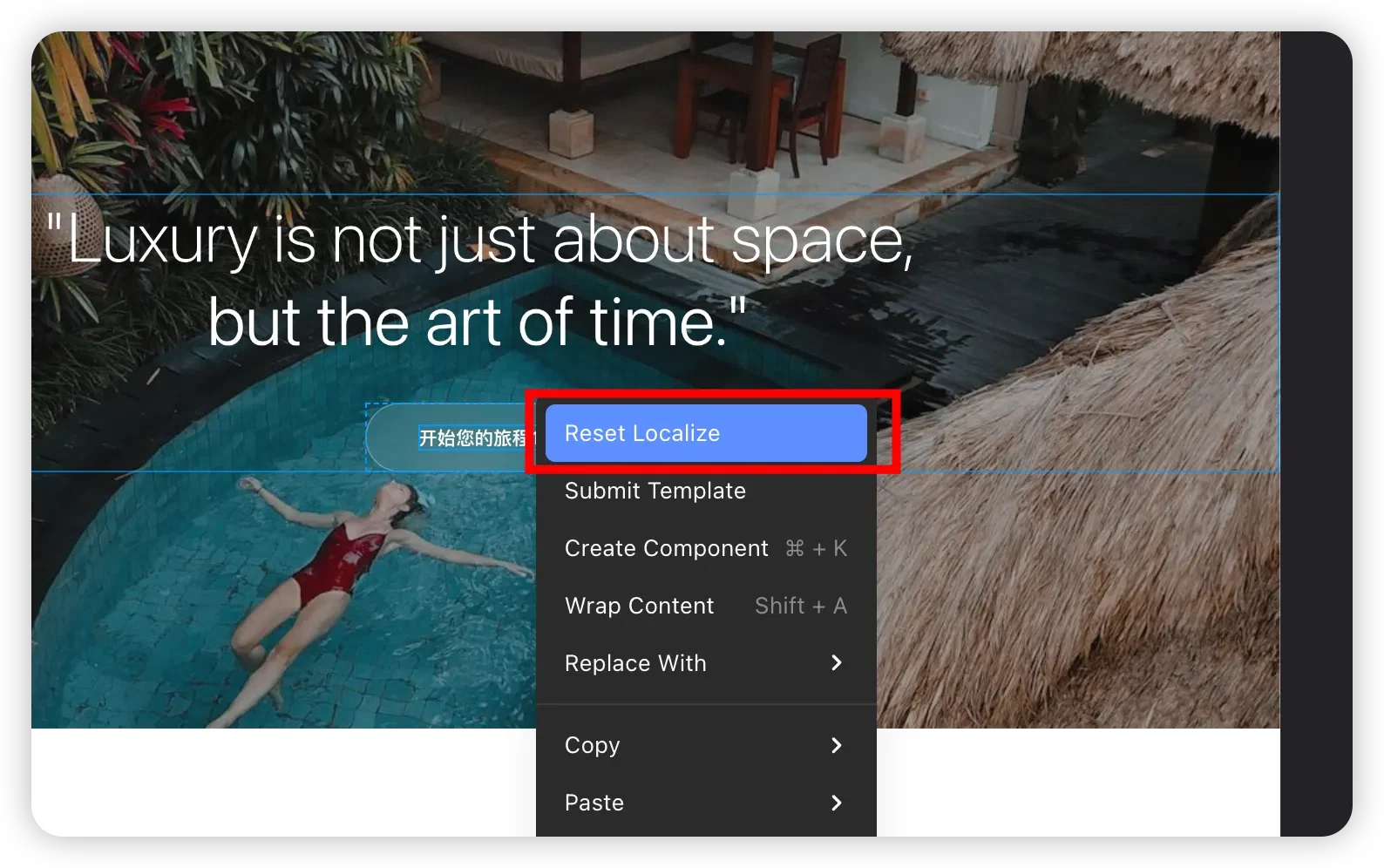
Localizable vs. Global Properties (Important)
In secondary languages, only content-related properties can be localized, including:
- Text content
- Image assets
These changes apply only to the current language and do not affect other languages.
Layout and structural properties—such as component size, positioning, and styles—are global site properties:
- Changes made in any language
- Are synchronized across all languages of the site
This ensures visual and structural consistency across all localized versions of your website.
Adding and Managing Site Languages
In the Creght Editor, click the 🌍 Globe icon in the top toolbar to open Language / Region Settings:
You must first define the site’s Primary Language (Language–Region combination).
After that, you can add multiple secondary languages or regions.
Language Parameters
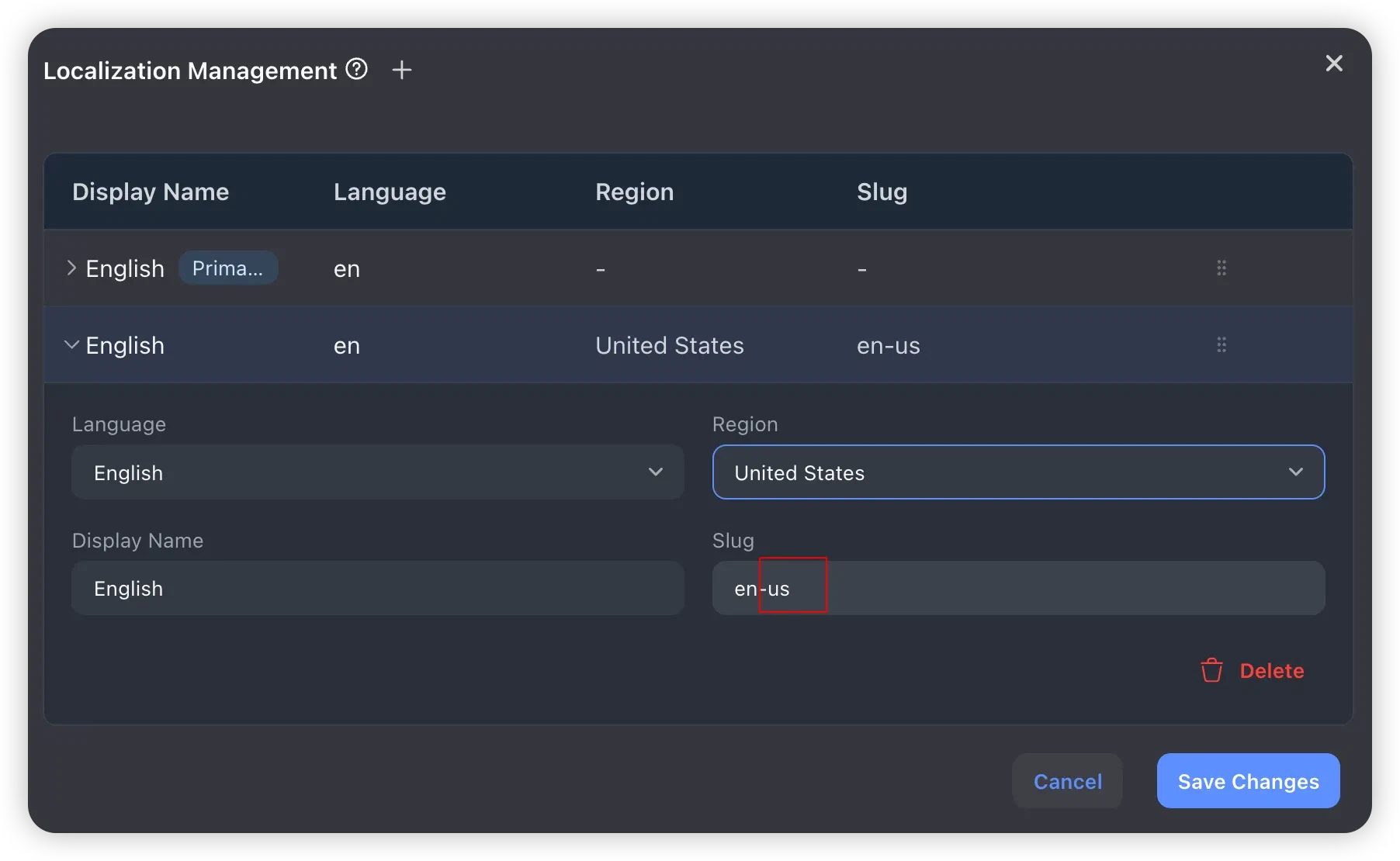
Each site language consists of four parts: Language, Region, Display Name, and Slug.
Language
The language defines the core localization identity.
Once selected, Creght automatically assigns the corresponding language code, for example:
- English →
en - Chinese →
zh
Region
The region is optional and is used to differentiate countries or regions that share the same language.
For example:
- English (United States)
- English (United Kingdom)
When a region is selected, Creght automatically generates the appropriate region code.
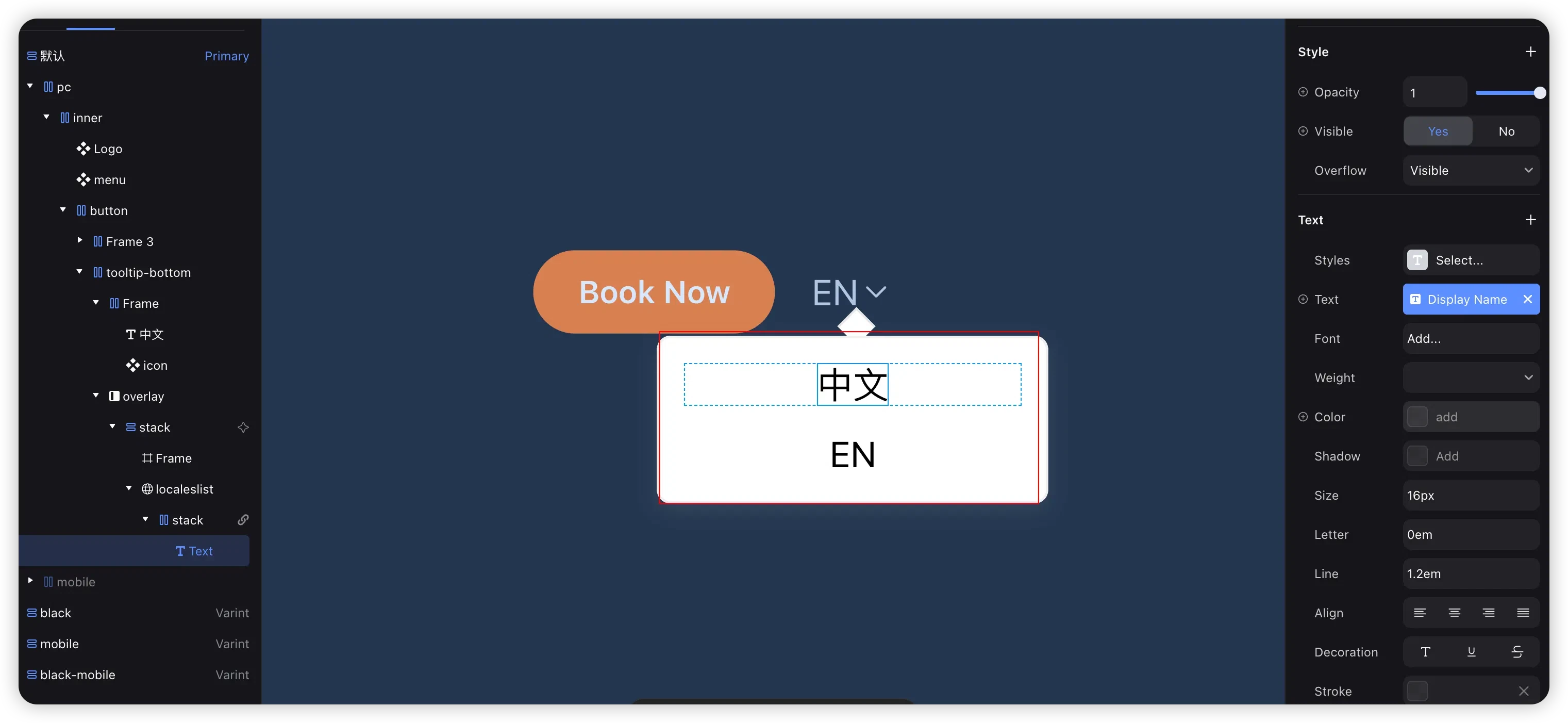
Display Name
The display name is shown in the Language Switcher component.
- Can be updated at any time
- Changes are reflected automatically after publishing
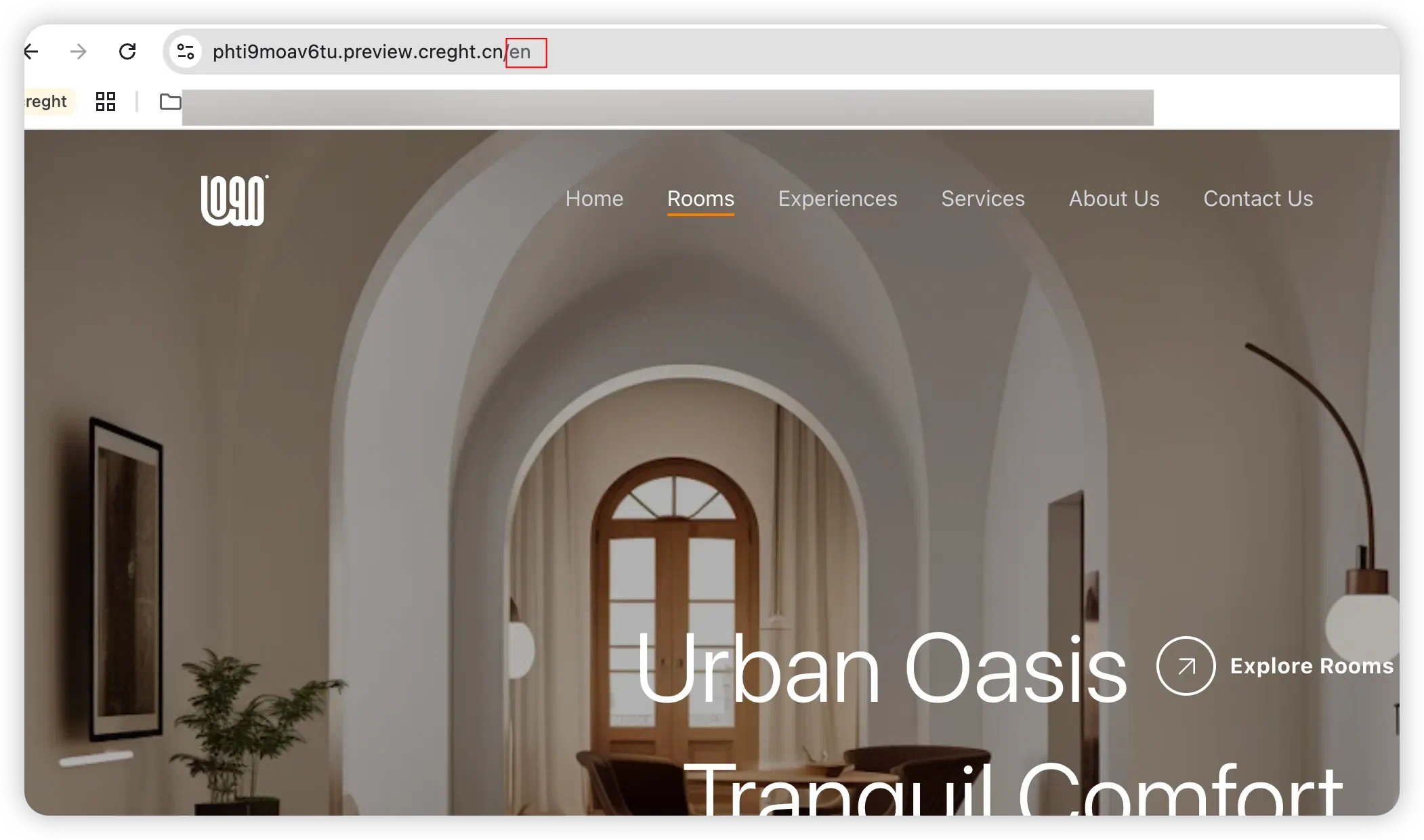
Slug
The slug defines the URL subdirectory for the selected language.
- Without a region: uses the language code
- Example:
/en
- Example:
- With a region: uses language + region code
- Example:
/en-us
- Example:
You can also customize the URL slug as needed.
Steps to Add a Language
- Click the Globe icon in the top toolbar and select Language / Region Settings
- Click Add at the top of the dialog
- Select a language
- (Optional) Select a region
- Adjust the Display Name and Slug if needed
- (Optional) Repeat the steps to add more languages
- Click Save Changes
Switching Languages in the Editor
After adding multiple languages, you can quickly switch between them using the language switcher on the right side of the editor.
- Edit Mode: Edit content for the selected language directly
- Preview Mode: Preview how the site appears for the selected language or region before publishing
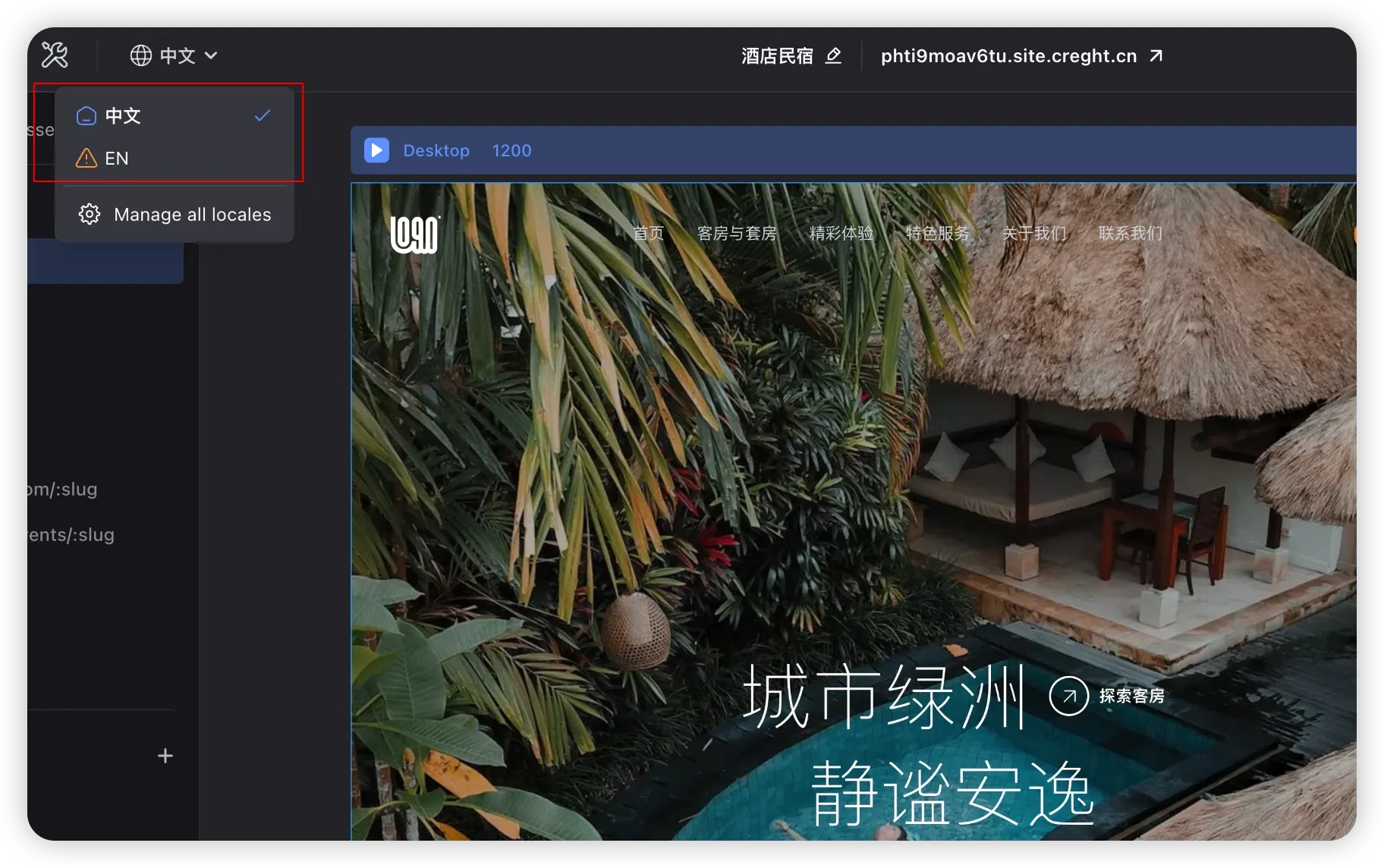
Within a specific language view, you can:
- Localize page content (text, images, etc.)
- Localize page-level SEO settings
- Localize CMS content
⚠️ Common Pitfall
Why do style changes in a secondary language affect other languages?
Creght follows the principle of “Content is localizable, structure is global.”
Localizable content
Text, images, and other content-related properties can be edited per language and only affect that language.
Global properties
Component size, positioning, layout, and styles are part of the site’s structural design.
Changes to these properties apply across all languages of the site.
If you need different layouts for different languages, we recommend:
- Creating separate sites for each layout variant